
How to Integrate with Katana and QuickBooks
Your manufacturing company requires a scalable, integrated system to manage production, inventory, and financial operations across multiple sales channels. Combining Katana Cloud Manufacturing and QuickBooks Online (QBO) provides a streamlined, modern solution to unify operations and accounting.
We explain how Katana and QuickBooks work together, how to handle both B2C and B2B customer orders, the ideal operational workflow, and provide a visual flow and onboarding checklist for successful implementation.
Katana + QuickBooks: A Unified System for Manufacturing
What is Katana?
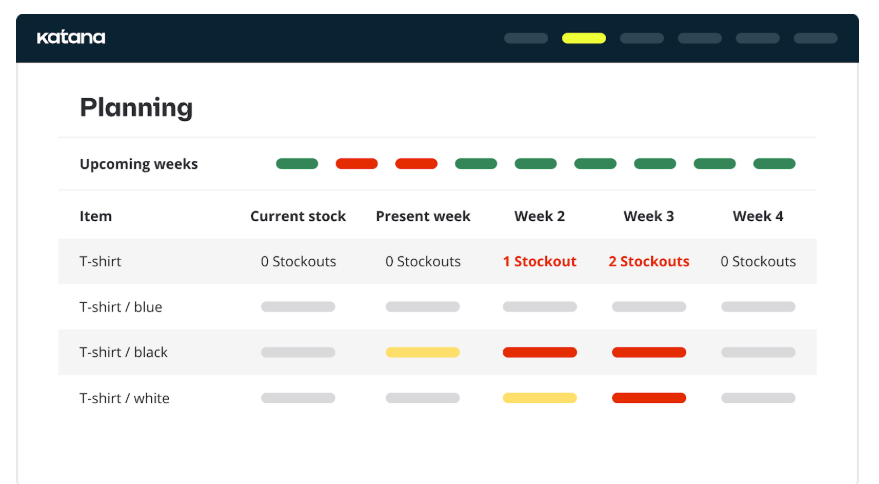
Katana is a cloud-based platform designed for small to mid-sized manufacturers. It manages:
-
Inventory (raw materials and finished goods)
-
Production planning and scheduling
-
Shop floor operations
-
Sales and purchase orders
-
Multichannel integrations (Shopify, WooCommerce, etc.)
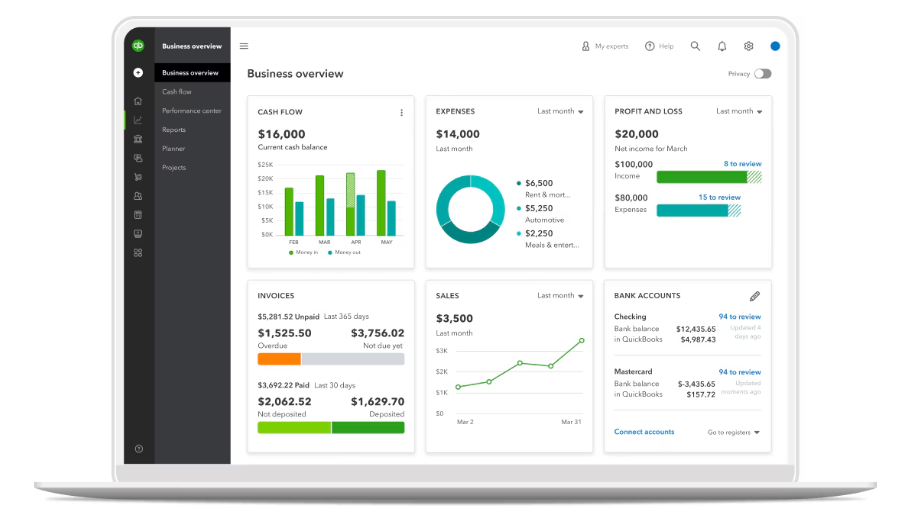
Everyday operations with Quickbooks
1. Daily Tasks
-
Bank Sync: Auto-import and categorize transactions.
-
Invoicing: Create, send, and track payments.
-
Bills & Expenses: Enter and pay vendor bills; upload receipts.
-
Payroll: Run payroll and manage tax filings (if enabled).
-
Time Tracking: Log hours for employees or jobs.
2. Inventory (if applicable)
-
Track stock levels and COGS.
-
Set alerts for low inventory.
3. Reports
-
View Profit & Loss, Balance Sheet, and Cash Flow reports.
-
Run and customize financial reports.
4. Reconciliation
-
Match bank transactions monthly to ensure accuracy.
5. Automation & Integrations
-
Recurring invoices and bills.
-
Connect to tools like Gusto, Shopify, Bill.com.
Integration Overview: How the Two Systems Work Together
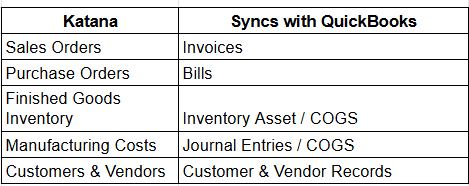
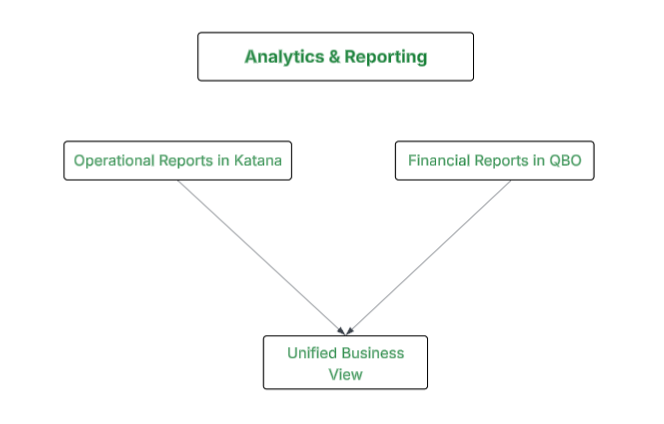
Syncing operational data from Katana to QBO eliminates manual entry, reduces errors, and gains real-time visibility into financials and inventory.
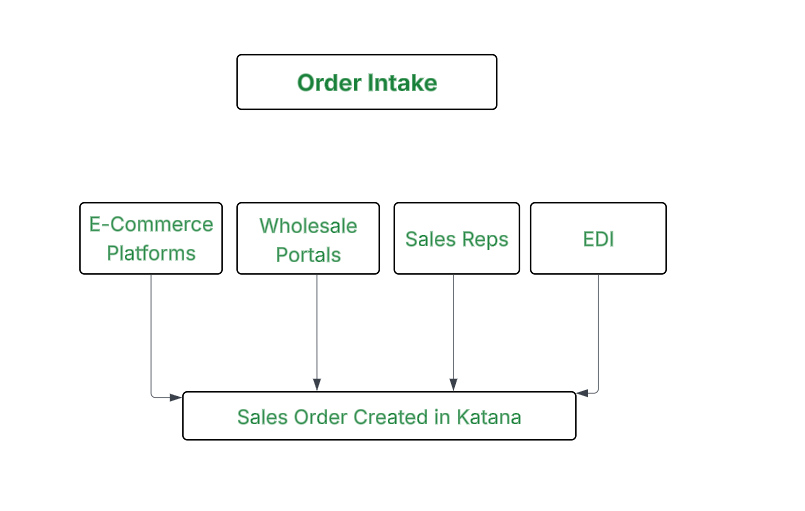
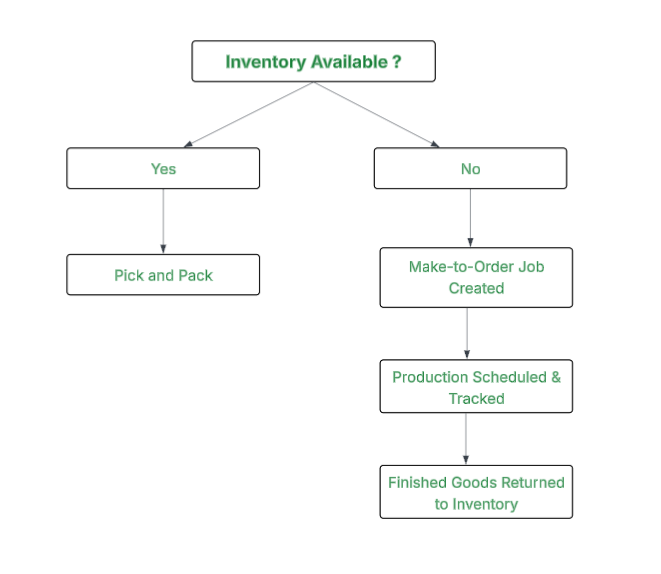
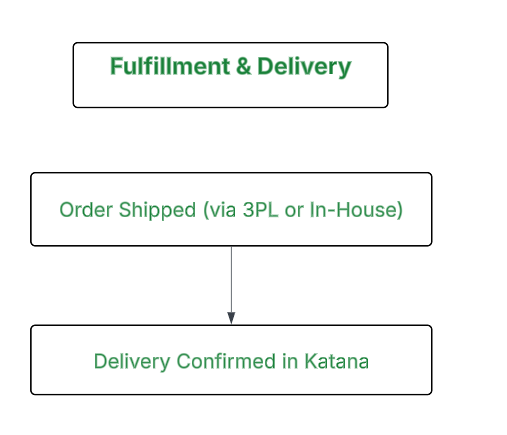
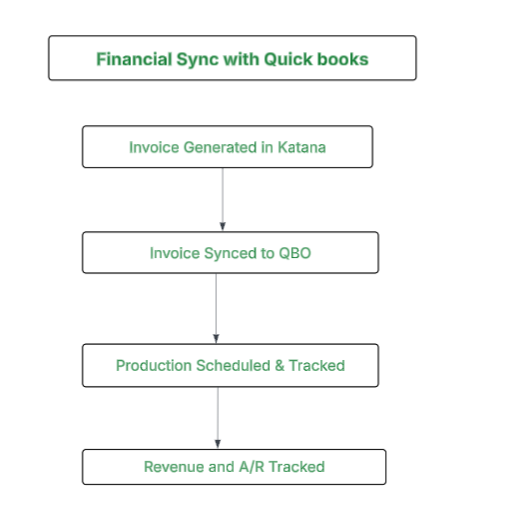
Unified Order Workflow for B2C and B2B Customers
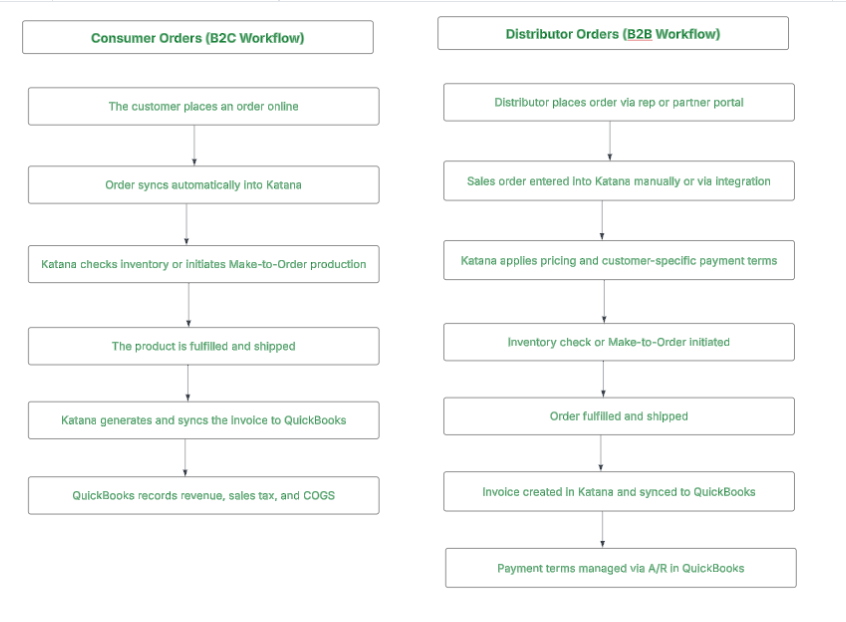
Visual Workflow Diagram
Step 1:
Step 2 :
Step 3:
Step 4 :
Step 5:
Onboarding Checklist: Katana + QuickBooks
Phase 1: Planning & Prep
-
Define B2C and B2B workflows
-
Assign roles (Operations Lead, Finance Lead)
-
Clean up customer, product, and vendor data
-
Review Chart of Accounts in QuickBooks
Phase 2: Katana Setup
-
Create product SKUs and categories
-
Build Bill of Materials (BOMs)
-
Set reorder points and vendor lead times
-
Add vendors and customers
-
Configure pricing tiers for B2B customers
Phase 3: QuickBooks Setup
-
Confirm key accounts (COGS, Inventory, Sales)
-
Enable inventory tracking
-
Map Katana fields to QBO accounts
-
Sync customer and vendor data
-
Test syncing invoices and bills
Phase 4: Integration and Testing
-
Connect Katana to QBO using native integration
-
Configure sync preferences (auto/manual, due dates)
-
Test B2C order through Shopify to Katana to QBO
-
Test B2B order via manual entry and verify invoice sync
-
Validate Make-to-Order and WIP tracking
Phase 5: Go-Live & Training
-
Train the fulfillment team on Katana’s Shop Floor App
-
Train the finance team on invoice review and reporting in QBO
-
Launch with parallel runs for two weeks
-
Document SOPs for order, production, and invoice workflows
Phase 6: Optimization
-
Schedule monthly inventory and WIP reconciliation
-
Analyze SKU-level profitability
-
Review customer payment terms and aging in QBO
-
Monitor reorder points and vendor performance
-
Consider multi-warehouse and forecasting add-ons
Benefits of the Integrated System
-
Centralized view of inventory, orders, and financials
-
Real-time production tracking and fulfillment updates
-
Accurate invoicing and revenue recognition
-
Streamlined purchasing and vendor management
-
Scalable to support multi-channel sales and complex B2B relationships
Go deeper: Guide 19, Manufacturing Finance & Metrics, part of the CFO Guide Series: 24 one-page guides for CEOs and founders.
